How to Get Started as a Bar Owner
Join VN Bardori as a bar owner in just a few simple steps. Start managing your bar and reaching more customers today.
📝 Step 1: Sign Up as Bar Owner
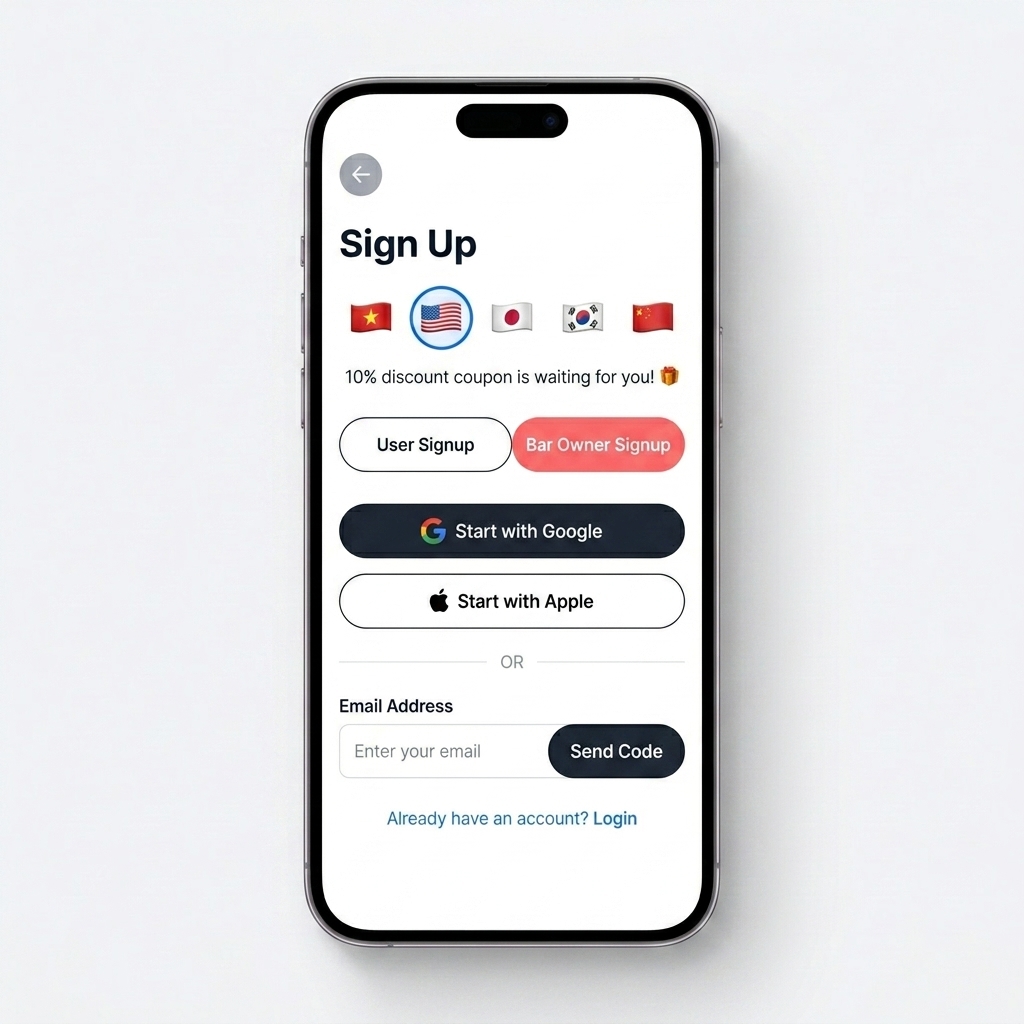
Open the app and go to the Sign Up page. Select the "Bar Owner Signup" tab to register your bar account. You can sign up with Google, Apple, or email.
🏪 Step 2: Register Your Bar
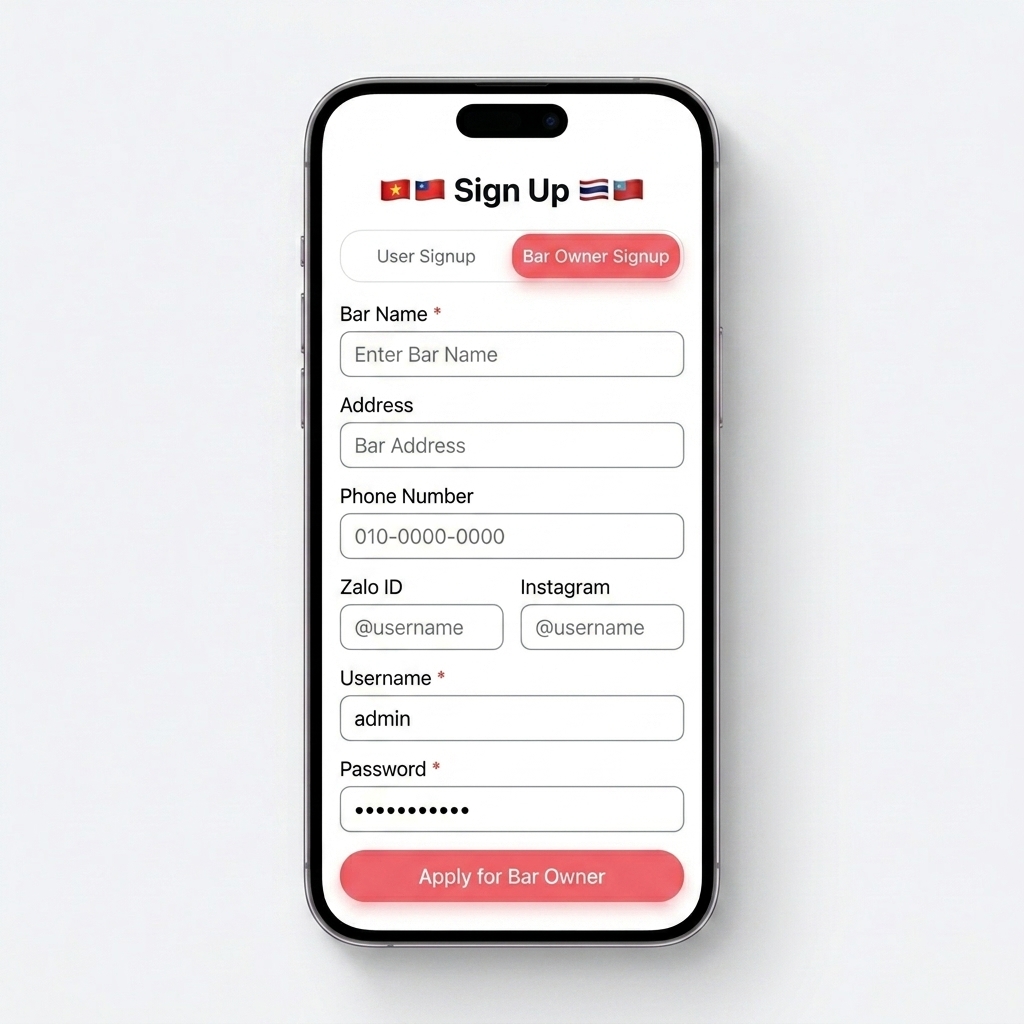
Fill in your bar information (name, address, phone, social media) and create your Username & Password. Tap "Apply for Bar Owner" to submit. Our admin team will review and contact you to confirm.
🏠 Step 3: Access Your Dashboard
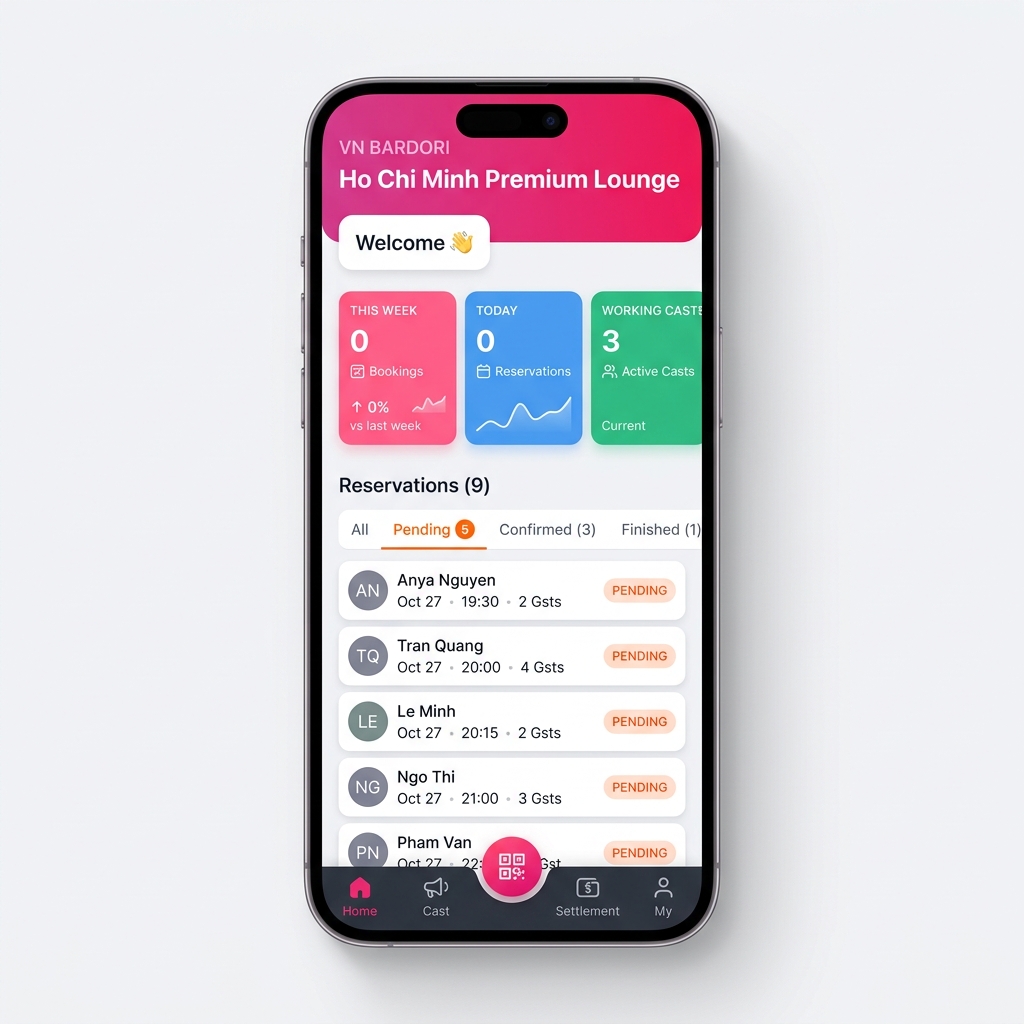
While waiting for admin to validate your account, you can use your Username & Password to log in and start updating your bar information. Explore your dashboard, check booking stats, and manage reservations right away.
⚙️ Step 4: Update Your Bar Info
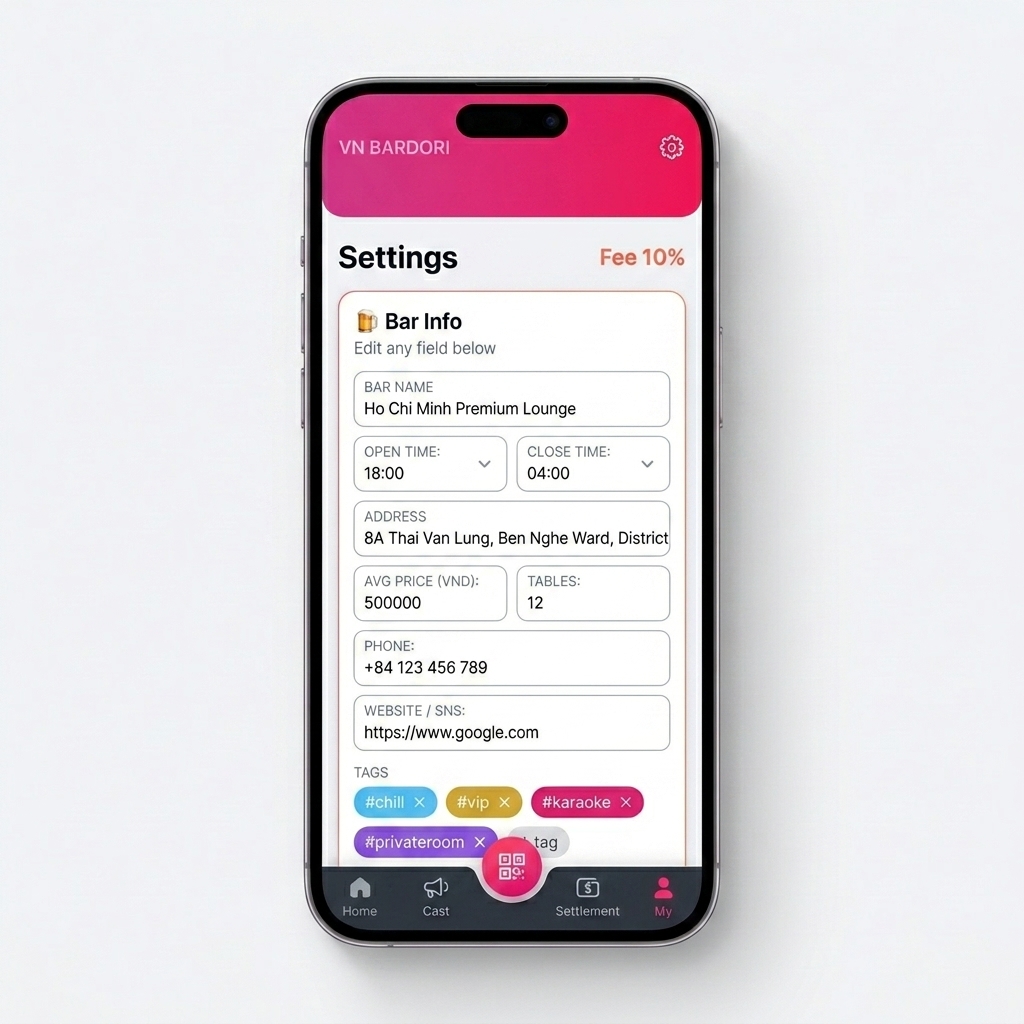
Go to the "My" tab in the bottom navigation to access Settings. Update your bar name, address, opening hours, pricing, tables, phone, website, and tags to attract more customers.